If you forgot to change Orkut theme during Christmas with Orkut Christmas theme, New Year is the time to play catchup. Orkut has released new theme for ‘Happy New Year’. As expected, theme has all the color and vibe to ring in new year in style.
Header has colorful characters enjoying the New Year party complete with DJ. Head over to your Orkut account and bring New Year colors to your Orkut account. Here is the preview of the theme:
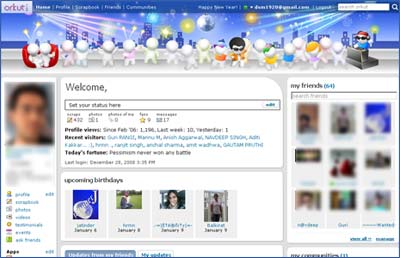
Login into Orkut account and click on edit link next to profile option on the left sidebar. Then click on ‘Themes’ tab, scroll down and look for ‘Happy New Year’ theme. Click on it and new theme should be Live with all the color and vibe!

Thanks for sharing with us