DefaultBrowser is a useful utility to set different web browser as ‘Default browser’ for different user profiles. This is ideal when different users have different preferences as their default web browser among IE, Firefox etc for surfing the internet. Windows XP does not provide feature to set default browser for different users.
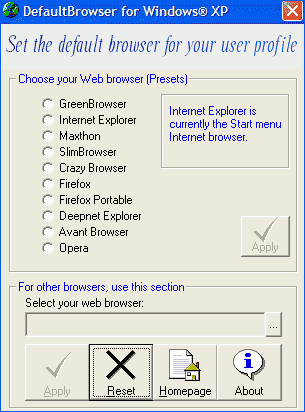
This Windows XP only utility allows you to chose from list of popular web browsers and set them as default for a specific user on the computer. You can click on reset button to undo all changes done by this utility and use one browser as default browser for all user profiles on the computer. Very cool utility for multi-user environment with different browser preferences. Download Default browser
