Are you bored of reboot and shutdown of computer from start menu that involves multiple clicks? Well, make things little easy and different by performing shutdown, log-off and reboot from taskbar.
iPower is a tiny utility that allows you to quickly perform shutdown, log-off and reboot procedure from the taskbar. It sits on the taskbar, just double click and see your computer shutting down.
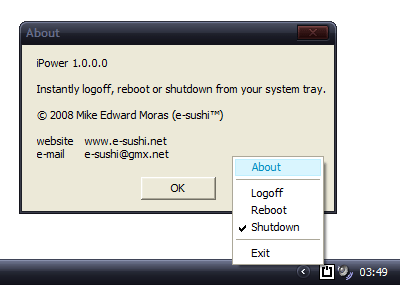
You can right click on the icon to select among: shutdown, log-off and reboot. Download iPower (free) to make shutdown / reboot procedure little faster!
