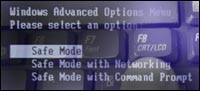
 Some computer users are real quick in pressing F8 key and going to Safe mode menu to start computer in safe mode.
But there are many computer users who fight hard to press F8 key at Windows startup to boot the computer in SafeMode without much success. Now, there is no need to fight with F8 key to make your computer boot in safe mode.
You can do this in few simple clicks and allow your computer boot in safe mode, safe mode networking etc. This is possible with a small utility called ‘BootSafe’. It takes the hassle out of rebooting in Safe Mode or back to Normal mode.
No installation required, no setup, is required for bootSafe. Simply download the file and run it. After download, double click the BootSafe icon to start the program. Select which Safe Mode you wish to boot – Minimal, Networking (typical), or Repair and click on the Reboot button as shown in image below.
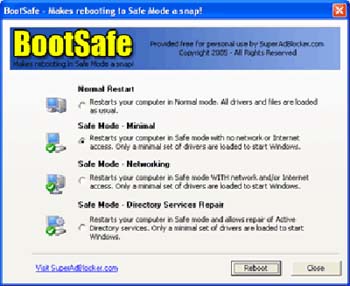
System restart will not restore computer to normal mode. You need to open the bootsafe utility, select normal option and click on reboot to restore computer to normal mode.
SafeBoot: Website – Download zip – Download exe
To summarize, if you enter safe mode using BootSafe then you have to use BootSafe to get back to normal mode. No big deal, it only requires few clicks, what say?
