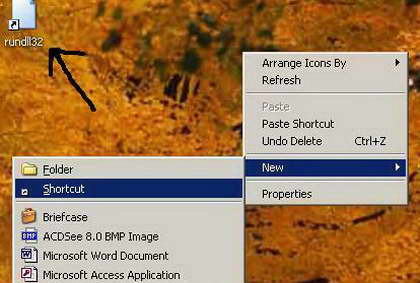
Pressing Ctrl, Alt and Delete is too much of a task for you? Well, not to worry there is an easy alternative to this.You can easily a create a shortcut for the same function. Just need to type in the short command and your are done.
Then, double click on that shortcut and work is done. Sound simple, well it is actually very simple and easy. Here goes…
1. Right click on empty spot/place on desktop and then click on shortcut option.
2. In create shortcut Dialog box, type the following command in box under ‘type the location of the item’.
rundll32 user32.dll,LockWorkStation
3. Then click on the Next button.
4. Then type the name of the shortcut and click on Finish.
You will see a new icon on the desktop, it is one you have just created. Double click on it and see it in action!