Adding color to black and white photos can take lot of time, effort and patience in Photoshop. Ideally, it requires you to select different areas in the photo and assign specific color to it. You can make this process very easy and super quick using free application Tintii Photo filter.
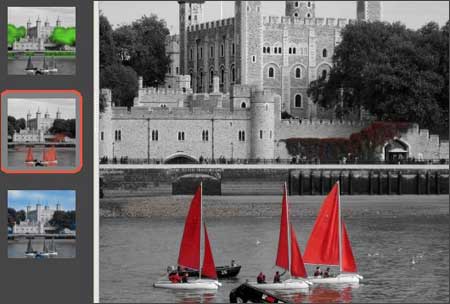
Load any black and white image in the editor. This application will add color to different parts of photo. giving you number of options to chose from. You can play around with hue, saturation color settings for the perfect looking output.
This application is also available as Photoshop plugin (not free), which allows you to add color to photos, supporting use of different Photoshop tools like selection, masking etc. Download free Tintii Photo editor [for Win & Linux] to quickly add color to black and white photos with cool results – never seen it so easy!
