define('WP_POST_REVISIONS', false); » Add Reflection or Mirror Effect to Images with Reflectz
Add Reflection or Mirror Effect to Images with Reflectz
 Filed As:Image Tools, Tools
 ADVERTISEMENTS


Images stand out with reflection and mirror effect. This is perfectly suited for place-holder images on a start page or for logo banner.

We have already seen 5 cool ways to add image reflection to images, here is another one with ‘Reflectz’. Browse any image from your computer or enter image URL (jpg, gif, png: max 300 Kb).
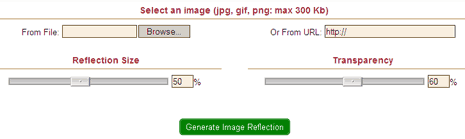
Then select the ‘reflection size’ and ‘transparency’ using the slider. Click on ‘generate image reflection’ button and its all done. Simple and easy way to generate refined reflective images with reflectz. via



By Davinder on Monday, September 15th, 2008

▼ Add a Comment

Have your say, add a comment...
If you want an image to show with your comment, go get a gravatar!


Comment moderation is enabled. Your comment may take some time to appear.

Join My Community at MyBloglog! Technology Blogs - Blog Catalog Blog Directory who's online Technology blogs Technology