Best part of using FireFox browser is ability to customize it to any extend. One can install extensions, themes to get best out of FireFox browser. You can lose customized FireFox in case Windows crashes or being reinstalled. Building that customized FireFox can take some time and little bit of frustration.
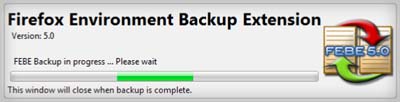
FEBE (Firefox Environment Backup Extension) can help you save some time and avoid any frustration. It allows you to quickly and easily backup Firefox extensions. Using its backup and restore you can easily synchronize your office and home browsers.
FEBE goes beyond just backing up – It actually rebuilds your extensions individually into installable .xpi files. It can back up your extensions, themes, and your bookmarks, preferences, passwords, cookies and just about everything else Firefox offers.
Backups can be performed on demand or scheduled for daily, weekly, or monthly unattended runs. Download FEBE FireFox extension and keep your customized FireFox browser safe and backed-up, just in case…
