 Tired and bored of reading so much of content, need a change! How about listening to same content in a laid back way?
Well, this is possible with VozMe ‘a text to speech program’. Type anything in English or Spanish and hear it as an audio stream. You can also download the audio in MP3 format.
Best part for bloggers and webmasters: You can add it to your website or blog. After a adding a small code, a button with label ‘hear this post’ will appear next to each post. Clicking on that button, you can hear to respective post. Basic features include:
- Convert any text to Mp3 file.
- Supports both English and Spanish.
- Add button to your website to listen to posts.
- Download and save resultant Mp3 file.
- No Download or No Registration required.
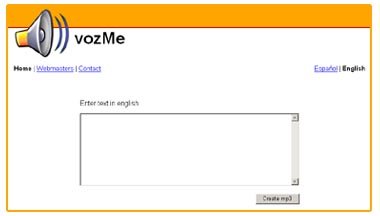
Vozme: Website – Add to your website/blog – Contact
Surely a very good add-on to a blog. Besides you can always copy paste text and start listening to it and even save that audio file on your computer.
