Here is another addition to tools to capture screenshot of any website – Super Screenshot. Using this tool, you can capture screenshot of any website within few seconds without installing any software.

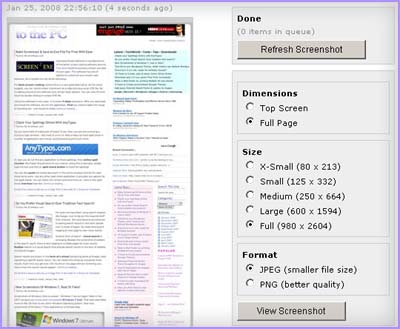
Best part about this online tool is its simplicity and easy use-ability. It provides all the basic options with little fuss. Homepage of the website also lists screen-shots of recently captured webpages.To use this tool, just enter the URL/web adress and click on GO button. You will get screenshot of that webpage with few customization options as shown below:
- Select the Dimension option among: Full page or Top Screen.
- Select the size among: X-Small (80 x 213), Small (125 x 332), Medium (250 x 664), Large (600 x 1594) and Full (980 x 2604).
- Select Image format option among: PNG and JPEG.
Super ScreenShot: Click here to capture screenshot
There are number of other webpage screenshot capturing tools and software available. Click here to check out some more such software. Almost all them are free and work like charm!
