 Hardcopy is a free and very effective software to capture and save screenshots in Windows. Using this you can capture and save current window or whole window.
After the capture, you can perform basic editing operations like image snipping, color changes and much more. It also allows you to directly print screen captures with a quick shortcut keys.
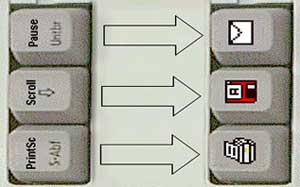
You can perform all basic operations using shortcut keys that makes life easy while performing screen capture on the fly. It sits in system stray, left click on icon prints the screen content while right click open options window.
Download Hardcopy for easy and quick screen captures. It is available in number of languages like English, Spanish, German, French etc. It works fine with Windows 98, 2000, XP and Vista.
