Firefox tabs taking too much space in browsing window for your liking? Or want to hide tabs quickly to prevent others to see websites opened in Firefox? There could be number of reasons for a user to hide tabs in Firefox. You can easily do this using quick keyboard shortcut hotkey via “Hide Tabber” Firefox plugin.
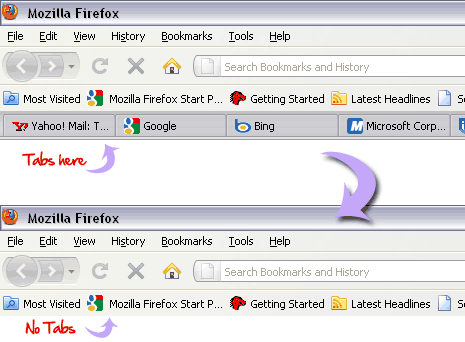
Download & Install Hide Tabber addon
1. Open Hide Tabber addon webpagein Firefox.
2. Click on Download button & install.
3. Restart Firefox browser to complete installation.
Use Hide Tabber to hide Firefox tabs bar
1. In Firefox browser, Goto Tools > Addons
2. Click options button on “Hide Tabber”.
3. Select keyboard shortcut key from option screen (as seen below).
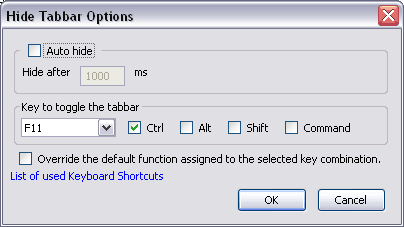
If you have selected F11 + Ctrl, while browsing use Ctrl + F11 to quickly hide tabs bar and prevent anyone from seeing currently opened websites in Firefox. Its quick and simple, try it!
