 Bored of usual Windows curosrs? If yes then get set to create your own jazzy N cool looking cursors using ‘CursorFX’. It is a replacement for Stardock’s immensely popular cursor skinning program ‘CursorXP’.
With CursorFX one can create and use cursors that look and feel far superior. Besides you can add your own creativity by making your own customized cursors.
It integrates into the standard Mouse interface of Windows and is easy to turn on and off as you need. Cursor FX take the advantage of the new visual effects features of Windows XP and Windows Vista to give you real superior output. Here are basic features of this program:
- Make cursors with unlimited size.
- Fully anti-aliased & 32-bit alpha blended cursors.
- Loads of animations and scripts.
- Cursors with normal and pressed states.
- Full featured theme editor & graphic control panel.
- Fully configurable soft shadow for cursors.
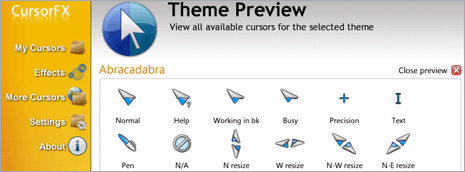
CursorFX: More Information - Download
This software work on Windows XP and Windows Vista. Basic version of software is FREE, however they do offer PRO-paid version with more advanced custom features. So get set and customize your cursor, its fun!
