Someone is really bugging you and want to check stuff on your computer against your wishes. You are in catch 22 situation and cannot even refuse that ‘someone’. Here is very simple solution to make you computer look busy and ask that ‘someone’ to come at a later time.
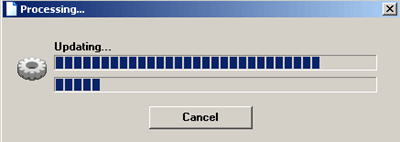
With ‘Fake Progress Bar’ application you can have a continuous progress bar on your computer indicating its busy status. However, this is all fake – while the bar is showing on the screen, you can cleverly continue with your usual computer tasks.
It can even turn OFF the screensaver to protect you from getting caught and keep that ‘someone’ away from your computer. When you run the application, fake progress bar will appear instantaneously.
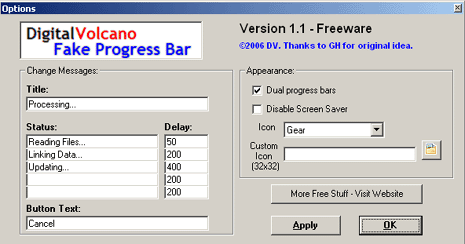
Click on the cog (circular) icon on the fake progress bar for the settings page. You can configure progress bar title, status and button text. You can also display any customized icon on the fake progress bar.
Fake Progress Bar – Click here to download this Free app
No rocket science but a simple and effective alternative to deal with ‘someone’, what say?
