One best way to get over computer boredom is have a fresh wallpaper on your computer. Manually changing wallpaper does not appeal to many for simple reason – it takes time and most of us are lazy enough!
How about automating the process of changing the wallpaper? Using free application ‘Automatic Wallpaper Changer’ you can configure computer to set fresh wallpaper after a regular interval of time.
Best part about this wallpaper changer app is – it does not come with usual bells and whistles. It has very basic features and is easy to use. Just select the folder containing images.
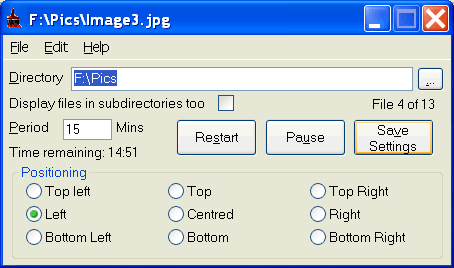
Select the time period for the wallpaper change-over and select the positioning of the wallpaper. Next step? Well, its all done. This cool application will change wallpaper after set interval with pre-defined images.
Details: Automatic Wallpaper Changer – Download
Searching for wallpaper? Check cool tool to search only wallpaper on Flickr. Checkout jazzy collection of iphone wallpapers, Christmas wallpapers.
