Facebook profile settings get a new feature bump that allows you to open your Facebook profile to everyone. This is a welcome addition to Facebook users who wants to connect with more people, like business user profiles. To get started, just go to your privacy page and change the settings you want to the new “Everyone” option.
You can opt to make one or all of the following profile elements more open: Profile, Status Updates, Links, Wall Posts, Basic Info, Personal Info, Education Info, Work Info, Photos of You and Videos of You. This wont change existing privacy settings and it only an additional feature option.
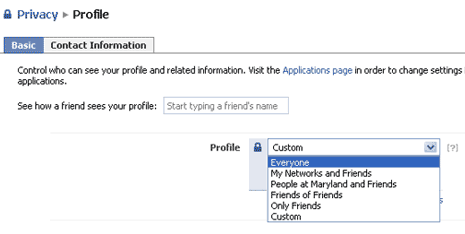
As pointed by Facebook blog, by changing your Profile setting to “Everyone”, anyone who finds you through a search on Facebook or sees a post or comment you make can now click on your content and view the elements of your profile you have opted to make open. Are you going to open your Facebook profile to everyone?
