 NSFW – ‘Not Safe For Work’ content popping up in office enviroment can cause embrassement big time.
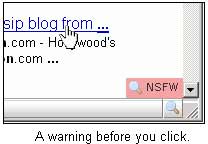
While there is an easy way to share NSFW URLs, here is an alternative while you surf web using FireFox Browser. No-NSFW is a Firefox Extension which warns you about NSFW links before you click and visit them.
You will see ‘NSFW’ indicator as soon as you attempt to open any web link. In case you encounter a NSFW web link that is not detected by “No-NSFW” you can mark that web link as ‘NSFW’ for future.
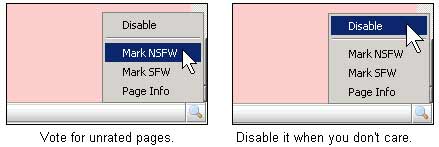
You can always disable ‘No-NSFW’ when it is “safe to surf NSFW stuff” like in your home, bedroom, bathroom etc. Download No-NSFW FireFox extension and make your browser little safe. Please note, this extension does not work with FireFox3 Beta. [via Downloadsquad]
