New computers (with Windows) generally come loaded with lots of trial software and utilities.This often results in slow computer with unnecessary and irritating pop-ups. While there is a manual way of installing and removing each software from add and remove programs option in control panel – but this can take lot of time and effort.
PC Decrapifier is a very cool utility that lists all the trail and crap software installed on Windows based computer. It neatly lists software, just select / tick the software name in the list and one more click to remove all of them from your computer in one go.
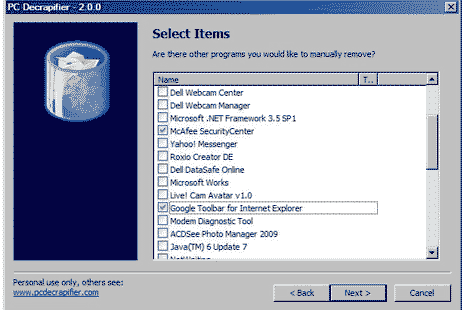
PC Decrapifier website has full list of software that it can remove in single click procedure. So, if Google Toolbar, Yahoo Toolbar, evaluation versions of Mcafee, Norton troubling you – just download PC Decrapifier and remove the crap software installed on your new (and old) computer.
