[For starters: GPU stands for Graphic Processing Unit] Ever wanted to finer details of video card or GPU on your computer? GPU-Z is a small utility that show details of installed video hardware on the computer. This utility does not require installation, just download and double click to start using it. It automatically loads up different details of video hardware on the computer.
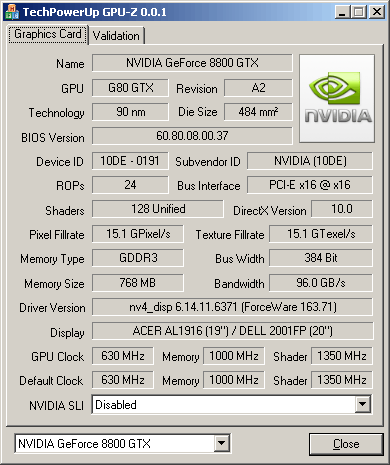
It supports NVIDIA, ATI cards and show adapter, GPU and display information. It can also show overclock, default clocks and 3D clocks, if available. It works fine on Windows 2000, XP and Vista (32bit & 64bit). Download GPU-Z to see detailed information of video and GPU on your computer – very handy and useful to know juicy video hardware details!
