Many user have multiple web browsers installed on the computer. There are times, we need to test specific webpage / website in specific web browser like Internet Explorer, Google Chrome and so on. “Open With” Firefox plugin adds Open With Internet Explorer, Chrome, Safari, Opera buttons in Firefox browser.
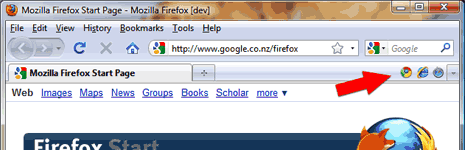
This extension adds options to the view menu, context menu or tab menu for opening the current page in another browser. Just click on specific browser option and view current webpage in selected web browser quickly. For sure one handy plugin for web designers wanting to test webpages in different web browsers.

While configuring this addon (In Firefox, goto Tools > Add-ons, click on Open With and then Options) you can manually add different web browsers installed on the computer. Download Open With
