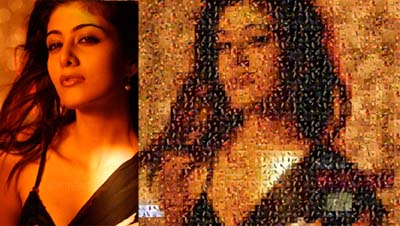
Creating a photo mosaic in Photoshop and any other image editing software can take a while to finish. Using PicArtia online photo mosaic creator, you can create photo mosaic without installing any software in few clicks.
Simple upload image from your computer and then select images to be used to create photo mosaic depicting uploaded image. You can select flickr image based on different categories like birds, animals, bikini etc.
Provide your email address and few more clicks to complete the photo mosaic. A high resolution and detailed photo mosaic is ready. Ability to create mosaic from flickr user images, photobucket could be added soon.
PicArtia is one cool way to create photo mosaics on the fly. You can also visit gallery section to view mosaics created by other users. Do you use any other web service to create photo mosaic? Share with us by adding a comment.
