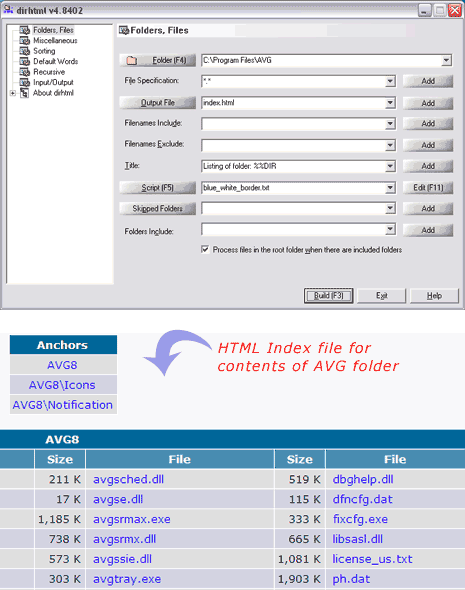
Do you want to see contents of a specific folder or drive in the form of working HTML file? DirHTML is a handy application that quickly creates HTML index files with neat listing of content of a folder or drive. It displays content in a neat tabulated HTML file containing click-able links to their respective files or folders on the computer. You can customize to include or exclude specific file listing in the final HTML file.
Related – See List of Largest files & folders on your computer
You can specify file inclusion on the basis of file extension like *jpg, *doc. You can also mention specific file names that should be excluded or included in the final HTML file. You can customize title of generated HTML webpage and even mention folders that should be excluded from listing on the generated HTML index file.
This application does not require installation: just download, unzip and start using it. Besides above mentioned configuration options, it also has loads of advanced options to refine the final HTML file output as per user requirement. Download DirHTML to quickly generate HTML indexes of any folder of drive contents – neat and quick!
