IP (Internet Protocol) address is a unique number for every computer or intensity on the internet to allows communication in the online world. An IP address is composed of four octets (numbers ranging from 0 to 255) separated by single dots. You can easily find IP address of any website URL on Windows 7, Vista and XP using following simple procedure.
Steps to see IP address of website URL
1. Click Start > Run to open Run box.
2. Type cmd in run box & click OK button.
3. A black window will open. Type ping google.com and press Enter key to see associated IP address (as seen in screenshot).
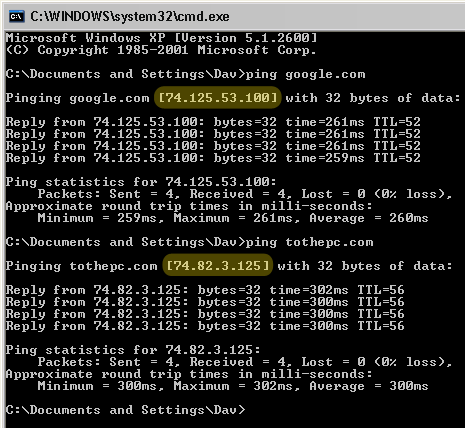
Similarly you can find IP address of any website, just type website URL with ping command to get the associated IP address.
