We have already seen 3 tools to Backup and Restore Drivers on the computer. Double Driver is free and very easy application to manage drivers on the computer. Using this free tool: you can backup, save and restore all drivers installed on the computer. It also show complete drivers information including: date, version, provider, class etc.
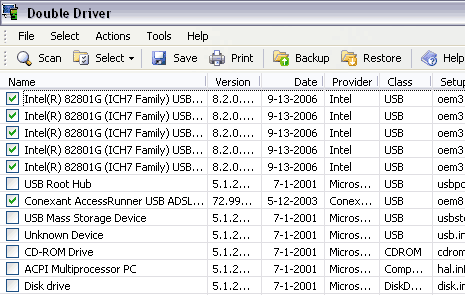
Steps to use Double Driver
1. Download & install Double Driver utility.
2. Launch and open the Double Driver utility.
3. Click Scan button or goto Actions > Scan.
4. It will show list of drivers installed on the computer.
5. Click backup button to backup drivers.
6. Use Restore button to restore drivers from backed up file.
Grab the free Double Driver utility to backup, save and restore drivers on your computer. It is quick and very handy way to deal with drivers after operating system reinstall or restore.
