Are you eating too much and getting fat sitting in front of computer? Well, your computer can help you check that calorie intake using gtalk (Google talk) on your computer. Google talk can be used for more than just chatting: like listening to FM radio!
Here is another cool way to use Gtalk by getting calorie count of any food item and stay healthy. To get started, add calories@lifemojo.com as your friend in Gtalk. Then send any food item as message and receive calorie count details instantaneously.
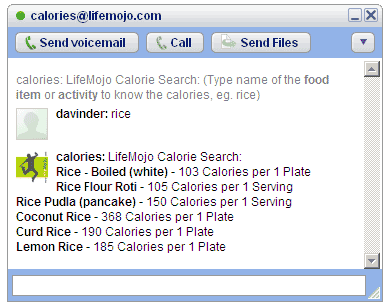
As shown in image above, send message ‘rice’ and you will get calorie details of different types of rice. You can also use exact name like lemon rice for only specific calorie count. So count your calories and stay healthy using this cool service on gtalk via LifeMojo.
