 PipeBytes present a very simple way to send your music, movies, presentations, executable and any type of files to anyone with just a web browser. With so many such services around, what is new about this?
Well there is no file size limit and you can start downloading the file even before the file has been completely uploaded. When you upload a file, a youtube video starts playing to keep you busy and animated status bar keep you posted on the progress of upload.
Send a file:To send a file, simply click on ‘send file’ button. Browse the file to be uploaded, enter a message (optional) and click on ‘start upload’ button.
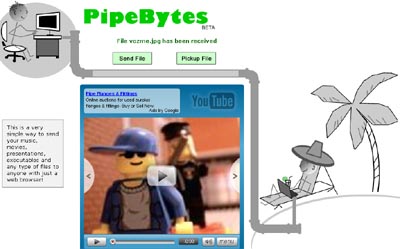
Pickup File: To pickup or download a file, enter the pick-up code and then click on ‘pickup file’ button. File download will start.
Is file transfer secure? Website claims, it works as a private unlike BitTorrent or other P2P technologies. The file is not shared on Internet, instead is sent directly to recipient. FAQs also inform about encrypting a file with sensitive data using utility like AxCrypt
PipeBytes: Website – FAQs – Upload a file
Surely a very good alternative if you only want to transfer file to a single recipient real quick, worth a try!
