[Beginners Tip] Ideally to change desktop background image / wallpaper – user has to right click on empty space desktop and then click properties option to open ‘Display properties’ window. Then click ‘Desktop’ tab to change and use new image as desktop background.
Set online photo / image as desktop background
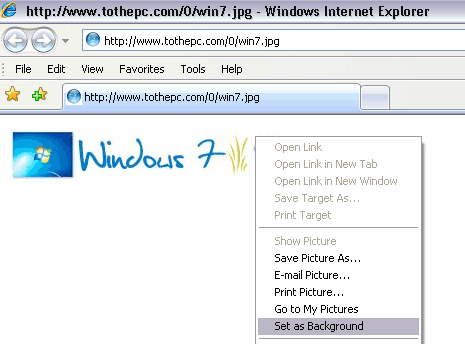
Above procedure can be lengthy involving lot of clicks. However, if you are browsing and viewing image on Internet Explorer or Firefox browser and want to quickly set it as desktop background wallpaper – right click on the image and then click ‘Set as background’ link. This will quickly set specific image as desktop background.
Alternatively, you can copy and save specific image on the computer. Then open ‘display properties’ window (as explained in the start). Click browse button, select stored image to set it as desktop background wallpaper.
