Want to add a unique and nice looking ribbon link on your website or blog? Well, this can be done quickly and easily with the help of few mouse clicks using Online Ribbon Generator. Simply configure few settings and then add the Javascript code in your template and it is all done.
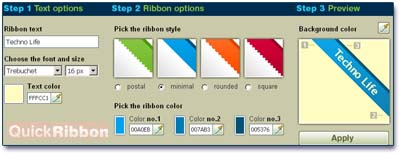
Here is quick procedure in 4 steps. Step1: choose the font type, size, color and text to enter. Step2: Select the ribbon color and style among postal, minimal, rounded, square. Step3: Select the background color and click on apply to see the preview.
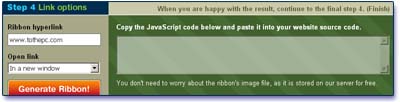
Step4: Select the Ribbon hyperlink URL and setting to open link in same window or new window. Then click on ‘generate ribbon’ button. Copy the Javascript code in template and it is all done!
Quick Ribbon: Website – How to insert ribbon in Blogger/Wordpress Blog
Surely a very good and simple web application to dress up your blog or website. Perfect to stick out something special for your reader to check out.
