We have already seen how to change those boring folder icons and now here is way to change every other icon on your computer. You can customize any icon on your Windows based computer that looks boring and needs a makeover.
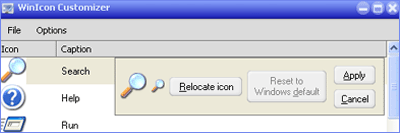
This is possible using free application WinIcon Customizer. Everything from “My Computer”, “Recycle Bin”, Folders, all the way to specific file format icons such as .doc and .xls files and any other file type a user wishes to use. It allows you to replace most of the common icons on your Windows PC.
- Can change nearly all of the Windows icons.
- Can change the file type icons.
- Includes Icon Explorer to navigate libraries of icons.
- Includes a free package of 300 icons.
Yeah, this 3.87MB WinIcon Customizer application also include over 300 icons to chose from. Get set to give makeover to icon that looks very boring - sound interesting?
