PerformancingAds
Filed as: Tips, Tools

  ADVERTISEMENTS


Do you have habit of making lot of typos? If yes, then you are one normal guy trying to type correctly - like most of us try to. Now-a-days we have spell check in number of applications be it email, word processing and much more.

In case you do not find any application to check spellings, then online spell checker ‘AnyTypos’ should come to your rescue. Using this is real easy, simply type the text and click on spell check button to check for spellings.

You can also paste the whole document in the online windows and let the spell check do its work. Like any other spell check application, it provides you options for mis-spelt words. You can select the correct word and move on. Here is how spell check interface look like:
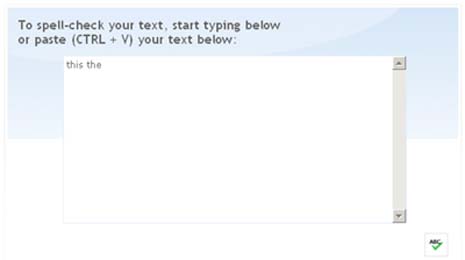
AnyTypos: Click here to check your spelling online

Not much to say, it does not get basic than this. You can have similar functionality in your web browser by installing spell check plugin. Check this for more information on spell check plugins for Internet Explorer and Firefox. Happy typing… with no typos. via

Did you enjoy this post?    Why not leave a comment below and continue the techno conversation. Send us your Techno Tips, Feedback, suggestions.

Subscribe to Techno Life!    Subscribe to Full RSS Feed for your Feed Reader. Get full articles like this delivered Free and automatically to your Email.

Tags:
Posted by Davinder on Friday, January 25th, 2008

Post A Comment

Comment moderation is enabled. Your comment may take some time to appear.