Google Translate is best online service for instant translation among number of languages. If you deal with loads of translation tasks and prefer to stay out of web browser for language translation – then check Simple Taskbar Translator. It supports translation between 3 languages: English, Swedish and Danish.
Use Simple Taskbar Translator tool
1. Download Simple Taskbar Translator tool & install it.
2. Launch the program, it will sit on the system tray.
3. Type text in “Text to Translate” box.
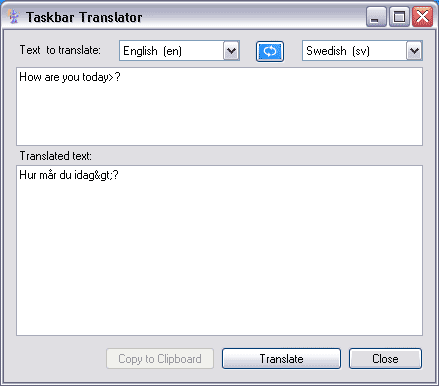
4. Select to and from languages from drop down boxes.
5. Click “Translate” button for the final translated text.
Also See – Google Translate desktop client tool, Windows & Linux
You need live internet connection for the language translation. For sure one handy tool for quick language translation in the comfort of desktop outside web browser, like it?
