While enlarging image size, there is problem of visible quality loss. We are always looking for ways to minimize this loss of quality while we increase image size. There is no standard method or tool recommended for enlarging image size without loss of quality. However, there are few free online tools and software programs for resizing photos and graphics which promises least possible loss of quality.
Online tools for ‘quality’ Image resizing
1. Reshade – It is an online tool for quality image resizing. Free version of the online tool works good for one off photo resizing without lose of quality. But free version of the online tool has few restrictions on photo editing effects and image size output.
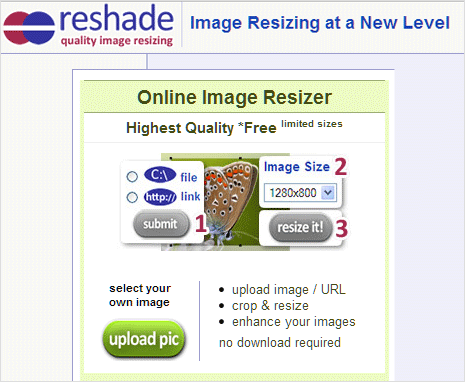
All ‘quality’ image resizing features are available in the form of paid version of the online tool and in the download-able image resizing software version.
2. Vector Magic – This allows photo resizing without loss of quality using vector format technique. Using its best in class auto tracing software, it automatically converts bitmap images like JPEGs, GIFs and PNGs into crisp, clean, scalable vector art of EPS, SVG, and PDF files.
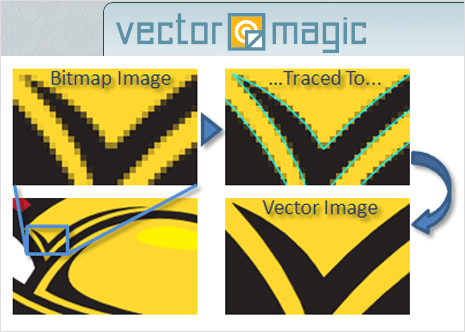
It allows limited free usage in the form of online tool. There is also option to buy and download desktop software for Mac and Windows platform for file conversion into vector format and further graphic resizing with minimum loss of quality.
3. Pixizer – It is completely free online image resizing tool allowing you to control image quality settings during re-size process. Once you select image from your computer for the upload, you can configure quality settings among: low, medium, high, very high and maximum.
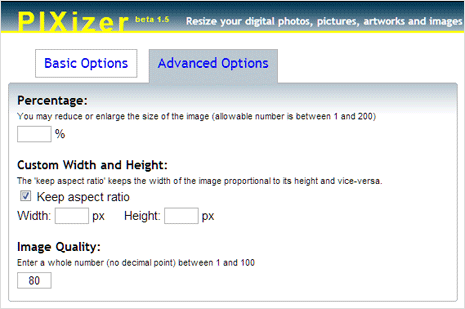
Also select the image resizing percentage and output image size. You can switch to advanced options for more control over re-size process allowing you to set image quality between 1 to 100 and custom output image width – height settings.
Software for Image resizing without Quality loss
1. Free software – SmillaEnlarger is best free software for resizing images without worrying about quality loss. It for sure works in specific cases and comes at wonderful price of $0 – can’t ask for more.
2. Paid software – There are number of paid software worth considering. You can download free trial of Photo Zoom Pro 5 software from BenVista. It promises robust solution for enlarging and downsizing digital photos and graphics. Also, you can try download-able version of online tools listed above: Reshade and Vector Magic.
Using 10% Re-sampling method in Photoshop
If you are comfortable using Adobe Photoshop program, then you have option to use 10% re-sampling method while resizing photos. Open photo in the Photoshop program that you want to re-size and goto Image > Image Size option.
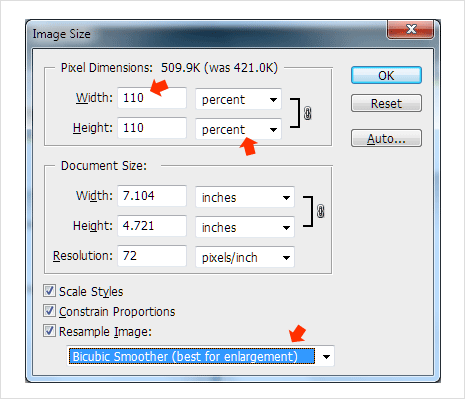
In the pop-up box, select the percentage option and then enter 110 for width and height in place of 100 percentage value (as we are increasing size by 10%). Also select “Bicubic smoother” option from drop down box at the bottom. Keep on increasing size by 10% at each step till you have desired image size or image quality deteriorates visibly.
Which is your favorite method to resize and enlarge images without visible loss of quality? Share we with us, as we explore more on this difficult domain of image editing.
