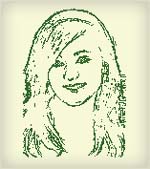
 Why waste hours together to make a sketch manually? You can easily generator sketch of any image in less than a minute with the help of Sketch Generator, an online free sketch making tool.
It is an image processing utility that can generate a “sketch” like abstraction of your digital photograph. Simply upload the picture, configure sketch settings and click on ‘Generate sketch’ button. There are three configuration options:
1. Sketch Resolution – Higher resolution results in finer, more responsive sketch lines.
2. Sensitivity Threshold – This sets the level of detail that will be sketched. The lower the number, the more dense and detailed the sketch.
3. Colors – These are the RGB values of the sketch’s foreground and background colors. Each entry’s value may range from 0 to 255.
Here is a beautiful sketch of my favorite Aishwarya Rai:
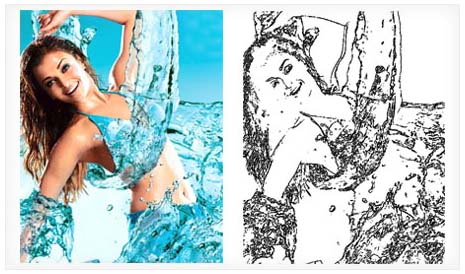
Please note, output of sketch will vary a lot with the change in sketch settings. To get a finer sketch, set Sketch Resolution to ‘high’ and Sensitivity Threshold more than 50. For colored sketch use RBG settings under colors option.
Sketch Generator: Click here to create a sketch
Found this on Technospot and in case you want to sketch manually in a group then check out SwarmSketch. There are more tools to play with your images here. Get set and have fun with your images!
