With so much time spend on social networking websites, looking at default layout can be very boring. Orkut has official and unofficial themes, even Twitter can be skinned with layouts and here is alternative for Facebook.
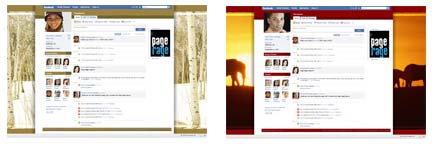
PageRage allows you to change Facebook page layout in few simple clicks. To get started you need to browse and select on a specific Facebook Layout and then perform following steps:
- Install backend app Yontoo Layers (why? Read Below).
- Select specific Layout & you will reach Facebook Login page.
- Enter you Facebook Login details & Click on apply.
Now you will able to see new layout on your Facebook page. If you want your friends to see new layout, ask them to install Yontoo Layers. Use ‘Tell a Friend’ feature for quick communication.
WHAT IS YONTOO LAYERS?
It is a browser add-on that creates virtual layers on your browser window. It enables users to add content over their Facebook page that appears to have been added directly to the page. Just like greasemonkey is used in Firefox to implement different visual changes.
Currently, Yontoo Layers is only available for Internet Explorer and Firefox. While PageRage + Yontoo can be use to change facebook page layout, Sanity Switch + Yontoo can do same to your Myspace page. Head over to PageRage to spice up your Facebook page.
