There are times we need to preview a specific website in different screen sizes or screen resolutions like: 640 X 480, 800 X 600, 1024 X 768, 1152 X 864, 1280 X 1024 and many more. While there is manual way to change screen resolution and preview website in different size one by one.
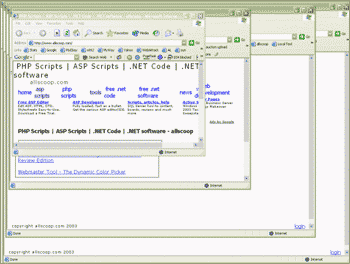
How about doing it all in one shot and preview website in different sizes at the same time? Allscoop got cool utility that allows you to do same using Website Screen Size Viewer. Download this file [link] and then right click to unzip / extract. Now right click on extracted file ‘SiteScreen’ and goto ‘open with’ and select notepad from the list programs.
Change the website URL from http://www.allscoop.com to any other URL you wish to preview. Now save the file and double click to see it in action. Different screen sizes in one shot, ideal and a sure quickie for web designers!
