By default you cannot rename ‘Recycle Bin’ and other system icons on the desktop. It is possible by making few registry changes. This can be a task for an average computer user.
Desktop Renamer helps you rename icons with any manual registry changes. Using this free utility, you can rename Recycle Bin, My Computer, My Documents and My Network Places.
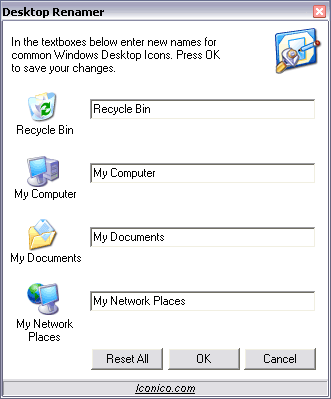
Just download [160k] and unzip this utility (no installation). You will see simple interface as shown in image above. Enter new names of respective icons.
Click on OK and all icons will show new names. You can revert back to default using ‘Reset All’ button. Rename icons quickly without manual messing around with registry entries!
