Is Nero security software giving trouble while trying to remove from computer? Grab Nero General Clean Tool to completely remove any Nero product from your computer. It removes all traces of Nero software on the computer and even help clean up previously stuck Nero removal attempts.
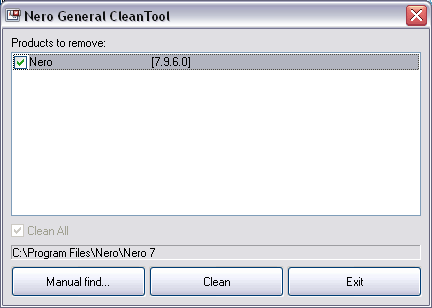
Steps to remove Nero with Nero General Clean Tool
1. Download Nero General Clean Tool
2. Unzip the download file.
3. Double lick on Nero General Clean icon to launch Nero utility.
4. It will scan and list Nero products already on your computer.
5. Select any of listed Nero products & click clean to remove it.
Related – Remove pre-installed trial software from computer
You can also click on manual find button and select Nero product which automatic scan could not detect. One neat and easy way to remove any Nero product from the computer.
