Google Search now has integrated PDF files viewer. From now on, if any PDF file is listed for your search query you will get “view” link under the title of that search listing. Click on “view” link will load that PDF file listed on search result page in separate PDF File viewer. Hence, you can search and view PDF file online without any need for special PDF viewing software.
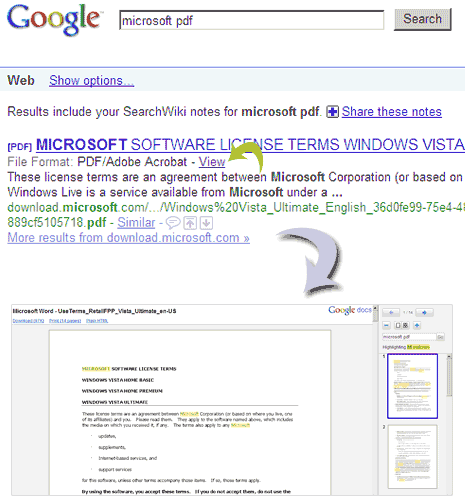
Integrated PDF viewer feature was previously seen in Gmail, which allowed viewing of PDF files directly from Gmail inbox using integrated PDF viewer. Now this feature has been extended to Google Search. This for sure is very good feature addition considering traditional pains of viewing and managing PDF files, what say? [via GOS blog]
