Viewing a Photoshop PSD files with lot of layers of effects is not easy routine. Doing the same task for multiple PSD files is even more time consuming and effort draining. If you are an active Photoshop users, then make life easy comparing 2 PSD files using free utility ComparePSD.
Layer by Layer comparison of 2 PSD files
1. Download PSD Compare & install it on your Windows PC.
2. Launch the program & click ‘File‘ menu option.
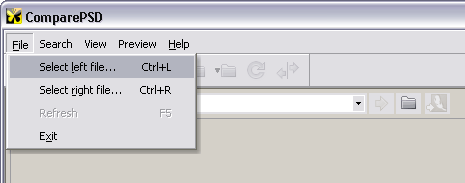
3. Click ‘Select Left File’ to load PSD in left viewer pane, then click ‘Select Right File’ to another PSD in right viewer pane.
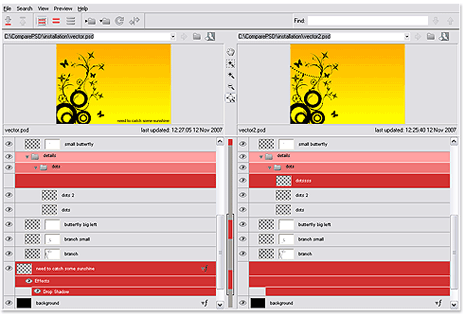
4. Then start your layer by layer comparison of 2 PSD files with ease (without even need of Photoshop software).
It show detailed layer styles, effect and other sytle attribtues including visible flags of layers. Grab this tool, if you often create and work on PSD designs!
