Google Chrome now has number of plugins or extension for extended functionality and features. We have already see Google Chrome extensions like: multiple sessions, gtalk plugin, hotmail notifications, mouse gestures and pagerank notifier. If you are using all these extension, then get Google Chrome extension manager for easy management of Google Chrome plugins / extensions.
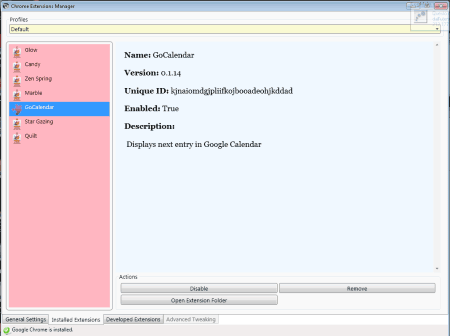
Features of Google Chrome Extension manager
1. Control if plugins, userscripts are enabled at Google Chrome launch.
2. Manage, enable, disable, delete among different Chrome extensions.
3. Manage and backup your Google Chrome profile.
Grab Chrome Extension manager to manage and control multiple extensions / plugins for your Google Chrome browser. It provides visual way of organizing and controlling extensions the way you want!
