If you love browsing websites, blogs via their RSS feeds using Google Reader, then here is notifier application to stay updated all the time. Google Reader Notifier is a free application for Windows users. It display desktop notification pop-up for unread items of your Google Reader account.
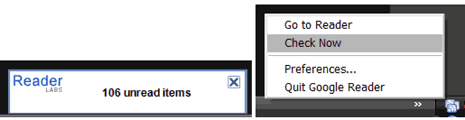
Receive desktop notifications for unread items
1. Download notifier, unzip and install the application.
2. Launch the program, right click icon & click preferences.
3. Enter Google Reader account login details, click OK.
Related – Gmail email Notifier, Windows & Mac desktop apps
Notifier application will display pop-up message for any new “unread items”. You can right click on icon and then click on “Check Now” to test the notifier app. So, never miss on new items in your Google Reader account!
