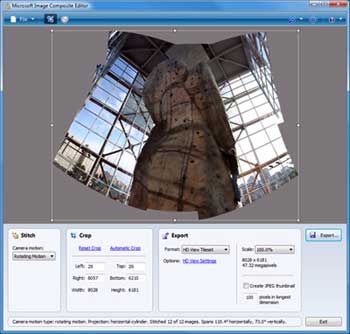
Microsoft has released an advanced panoramic image stitcher ‘Image Composite Editor’. It creates panoramic view from set of images.
To get started you shoot set of overlapping photographs of a scene from a single location and ‘Image Composite Editor’ will ‘stitch’ those image at high resolution for ultimate panoramic view.
Final stitched panorama can be saved in number of formats like JPEG and TIFF to multi-resolution tiled formats like HD View and Silverlight Deep Zoom. Features include state of the art stitching algorithms with options for advanced orientation adjustment view and exposure blending.
Download Image Composite Editor for some image play. It is available as a free download for x64 and x86 version of Windows.
