Have you received a winmail.dat file in an email sent by Microsoft Outlook 97, 2000 user? Winmail.dat file contain all attachments and rich text message which is not recognized and opened by all email client. Winmail Opener is a small utility to open and view contents of TNEF-encoded messages or winmail.dat files. It include features:
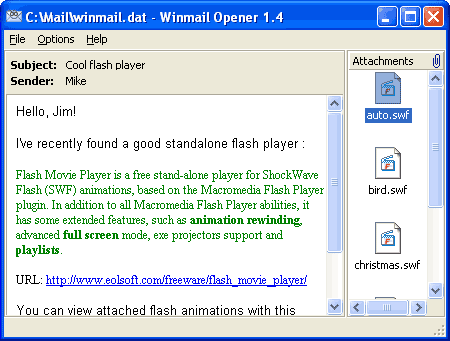
– It supports RTF message text extraction.
– Supports drag-and-drop of TNEF-encoded files into Winmail Opener.
– Allows to work with embedded attachments via system popup menu.
– Supports command line mode for batch decoding.
– Multilingual interface and support 14 languages.
It is a handy utility with just size of 339 KB to open winmail.dat email files. It does not cause any strain on computer resources and work like charm in dealing with winmail.dat files. Download Winmail Opener
