Preview Gmail inbox is new Gmail Labs feature that should please Gmail users using slow internet connection. While Gmail is loading, we have to stare a blank screen with progress bar showing loading status of Gmail inbox. With Preview Inbox feature you can see screenshot image of 10 latest email messages as Gmail inbox loads.
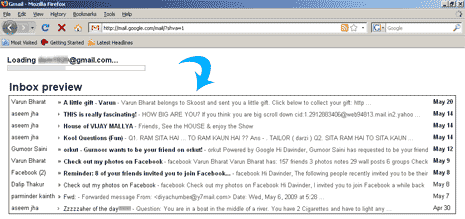
To enable this feature, goto settings and then click on Labs tab. Select enable next to Inbox Previewoption and click save changes button. Next time you login into Gmail you will see preview of new email message before the actual inbox shows up. This is very good feature for users with slow internet connection as they can close the Gmail window in case preview image does not show any new email message.
