 Have you accidently deleted few photos? Or someone played mischief to delete few images on the computer? AnyFound Recovery software can come handy in recovery of deleted photos. It is a free software that recovers deleted photos from specific drive / partitions. You can manually select, preview and then save photos shown as a result of photo recovery process.
Use AnyFound Photo Recovery
1. Download AnyFound Photo Recovery program [3.6MB].
2. Install and then launch the program on computer.
3. Click “Deleted File Recovery” option on the main screen.
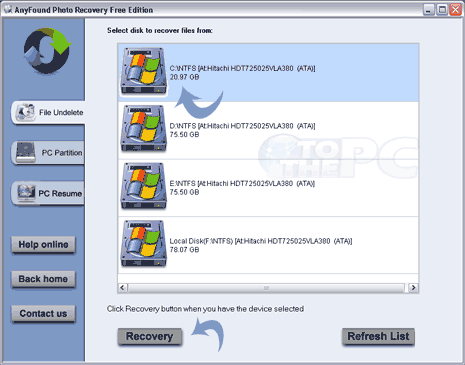
4. Then select drive partition from which you want to recover photos.
5. Click “Recovery” button to start the recovery process.
6. Click “Unknown” option to see deleted photos found by recovery process.
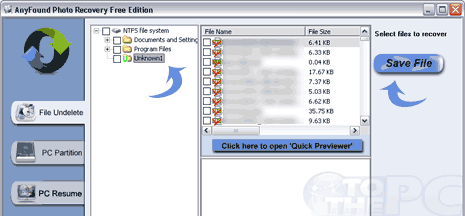
Check or tick photos in the list and then click on “Save” button to save images in specific folder on the computer. Similarly, you can run photo recovery process on other drives on the computer to recover previously deleted images. Very handy tool, just run this program – you will stumble upon on old deleted photos (vintage stuff!).
