Windows operating system allows you to create user profile for each person using same PC. Multiple user profile allows privacy and ability to access files only through specific user profile login. User Profiles View is a handy portable utility to view list of all user profiles created and being used on your Windows computer.
View List of User profiles on Windows PC
1. Download User Profiles View utility.
2. Unzip & double click file to launch the utility.
3. Utility window will show list of all current users on the PC.
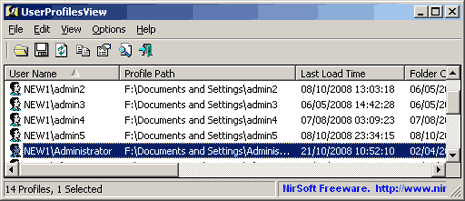
It also display additional information for each user including: Profile Path, Last Load Time, Registry File Size, User SID etc. It is portable utility and does not require install. Works with all Windows including 7, Vista and XP.
