Google Reader is an awesome online service to read RSS feed content. Now you can spice up the RSS feed display by showing favicons for respective subscribed RSS feeds. With Favicon display it is more easy to identify specific RSS feed (specially, if you happen to overaload Google Reader with lot of RSS feeds).
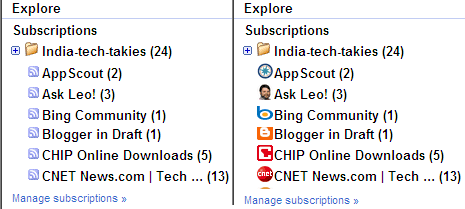
Show RSS Feed Favicons in Google Reader
1. Goto http://www.google.com/reader & login into your account.
2. Click “Settings” link at top right.
3. On “Settings” window under “Preferences” tab look for Show Favicon option under “Misc”.
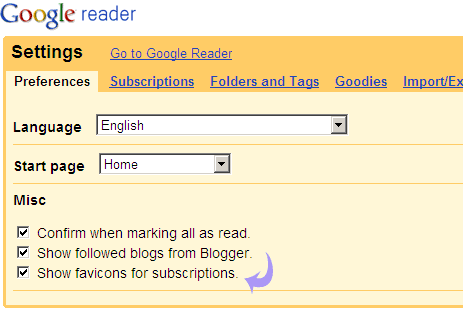
4. Check “Show Favicons for Subscription” option & go back to Google Reader to see favicons next to each RSS feed.
For sure looks better and handy for easy identification, what say? If your website or blog is missing favicons, how about creating a cool favicon?
