We have seen number of software clients for easy file downloading from Rapidshare website. QUploader help ease out reverse process of uploading files from computer to online at Rapidshare website. It is a simple and very easy to use Rapidshare uploader client tool.
Send files from computer to Rapidshare
1. Download QUpload & install this program.
2. Launch it & click Browse button to select folder containing files for upload.
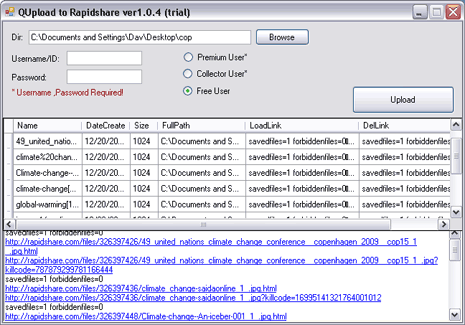
3. Select your Rapidshare user type (free user does not require login).
4. Click Upload button to send files online at Rapidshare website.
After the upload process is complete, you will get Rapidshare download links for uploaded files at the bottom window. While utility is easy to use, it does not show status of uploading process (which is a turn off). Still handy program to quickly send files to Rapishare.
