Few webmasters will dare visitors in making them read very small text on their webpages. Constantly changing text zoom back and forth as you visit different sites can be real painful at times.
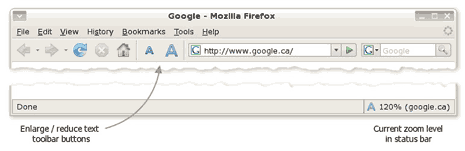
We have already seen cool alternative ‘Easy Read’ for IE users to change text size in IE when native ‘text size’ option fails. Here is similar option for FireFox users ‘NoSquint’.
It is a Firefox extension that allows you to adjust the default text zoom level, which is very useful if you have a small display or run at a very high resolution. NoSquint makes web browsing sites with small fonts tolerable in Firefox and also optionally remember the zoom level per site.
