Do you want to generate stylish and cool looking ASCII art visual? AS-ASCII Text is a cool portable tool to convert any plain text into ASCII art creation. You can use any special characters on the keyboard to generate ASCII art visual representing a word.
Convert plain Text into ASCII art
1. Download AS-ASCII Text program.
2. Unzip it, double click to launch the program.
3. Enter any text & select special characters that should be used in final ASCII art.
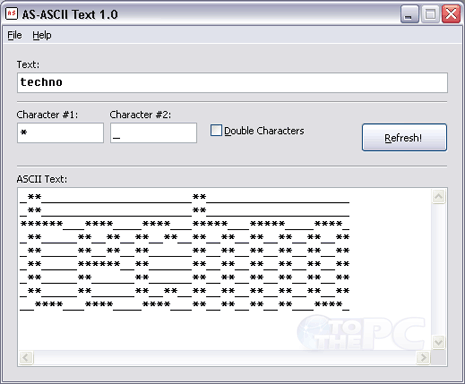
4. Click Refresh button to see your creation. You can copy and paste the creation into notepad file.
Besides the plain text to ASCII conversion, you can also generate more elaborate and complex ASCII art from any image on your computer using photo to ASCII converter.
